
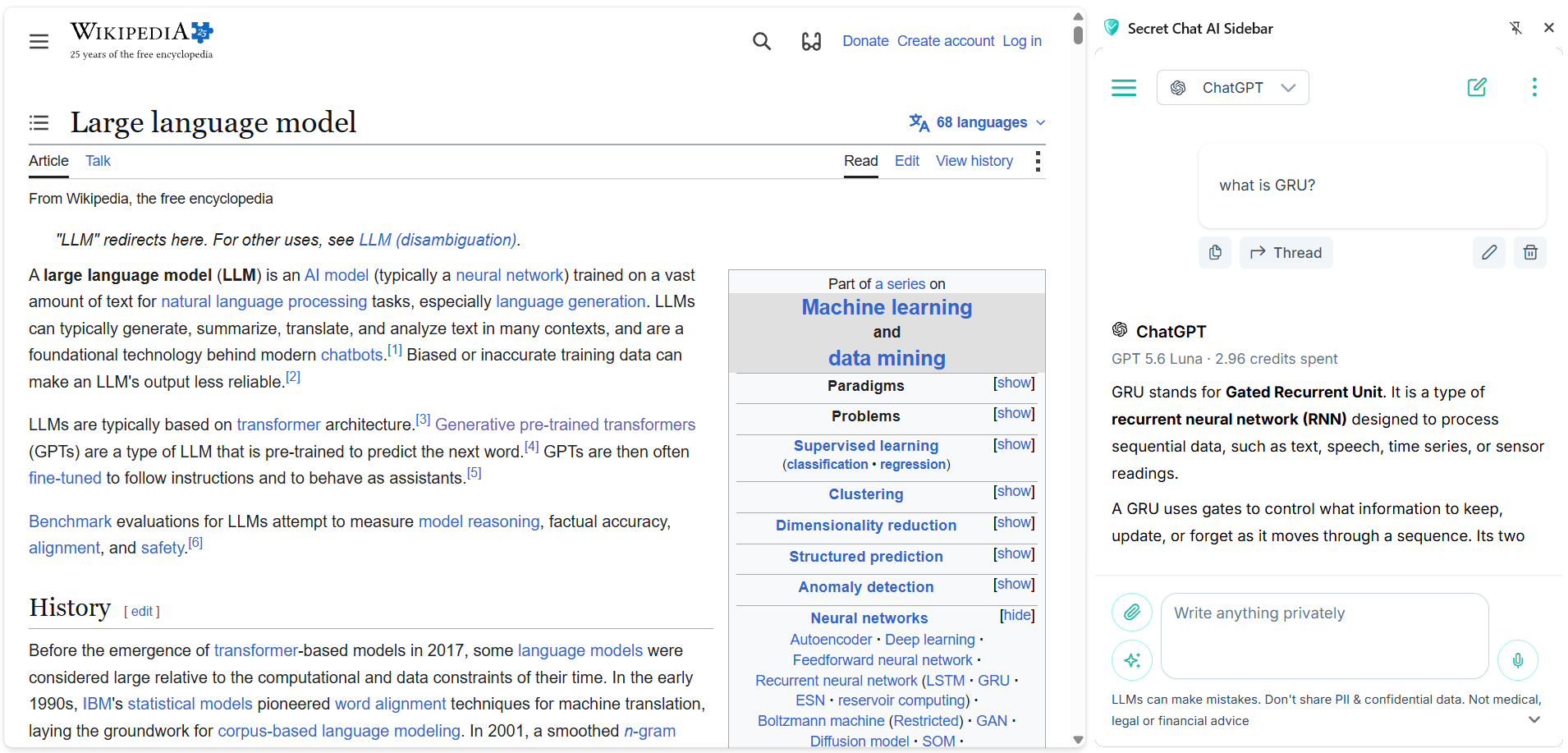
An AI assistant is most useful at the exact moment a question appears, while you're reading, writing, comparing or deciding. The Secret Chat AI browser extension puts the whole app into your browser's sidebar, so the chat is one click away and stays open beside whatever you're doing: ask, read the answer, keep working. Same anonymous chat, same models, same account; no switching to another tab, no losing your place. This is one of the features of Secret Chat AI, the AI aggregator.
What the extension is
The extension is a thin shell: it opens the Secret Chat AI web app, the same one that runs at app.secret-chat.ai, in the browser's side panel. There's no separate "extension version" of the app, no separate account and no separate history: you're signed into the same account and see the same conversations as in a normal tab, and your chat history keeps living in your own browser, not on our servers.
It's also entirely free. Nothing is sold inside the extension; no purchases or unlocks. The service's free daily quota works in the sidebar exactly as it does on the website, with no account needed, and if you ever top up a balance, that happens on this website, in a normal tab.
Why a sidebar beats another tab
A chat in a tab competes with your work; a chat in the sidebar sits beside it. The panel stays open while you move between tabs, so you can draft an email on the left and shape a paragraph on the right, read a long article and ask questions as they come up, or keep a running conversation going through a whole working session without ever hunting for the right tab.
And because Secret Chat AI is an aggregator, this one panel replaces not one AI tab but several: ChatGPT, Claude, Gemini, Grok, DeepSeek USA and Perplexity live behind one model picker, on one balance, with image generation and the AI Council included. One sidebar instead of six logins.
It cannot read the page you are on
Many popular AI sidebar extensions ask for permission to read and change the websites you visit — reading the page beside them is what their "summarize this page" features are built on. This extension asks for exactly two domains: its own app and its own API. There's no content script, nothing is injected into any page, and nothing from the sites you browse passes through the extension. When you install it, check the permission prompt; that short list is the entire ask.
The honest consequence: it won't summarize your current tab automatically, because it can't see your current tab. Paste the text or attach the PDF instead, the models read both. That's the deliberate trade: a sidebar that can't watch your browsing is a sidebar you don't have to trust about your browsing.
The privacy of the chat itself is the app's, unchanged in the sidebar: no profile is built about you, no conversation is associated with you, and your queries reach the AI providers anonymously. The honest limit is unchanged too — Secret Chat AI removes you from your queries, it doesn't remove the data from your messages, so what you type still reaches the model you chose verbatim.
How to install and open it
Chrome
Install it from the Chrome Web Store, then click the extension's icon in the toolbar — the chat opens in Chrome's side panel, beside the page (Chrome's settings let you choose which side it sits on). Pin the icon (the puzzle-piece menu → pin), so it's always one click away.
Firefox
Install it from Firefox Add-ons, then click the toolbar icon, or open it via the menu: View → Sidebar → Secret Chat. Firefox lets you keep the sidebar on whichever side you prefer.
Microsoft Edge
Install it from Microsoft Edge Add-ons, then click the extension's icon in the toolbar, the chat opens in Edge's sidebar. (Edge can also install the Chrome Web Store version if you allow extensions from other stores, but the Edge Add-ons build is the native one.)
What people use it for
- Writing beside the work — draft the difficult reply in the panel while the message you're answering stays on screen, then paste the result over.
- Reading with questions — keep a long article, paper or contract open and ask about the parts that need untangling as you reach them (paste the passage in — the sidebar can't see the page itself).
- A second opinion on demand — run a claim you just read through the AI Council without leaving the page it came from.
- Everything the app does — projects, threads, custom instructions, attachments and voice input, export — the sidebar is the full app, not a cut-down one.